Greasy Fork

Greasy Fork is available in English.

TwitchVODEnhancer

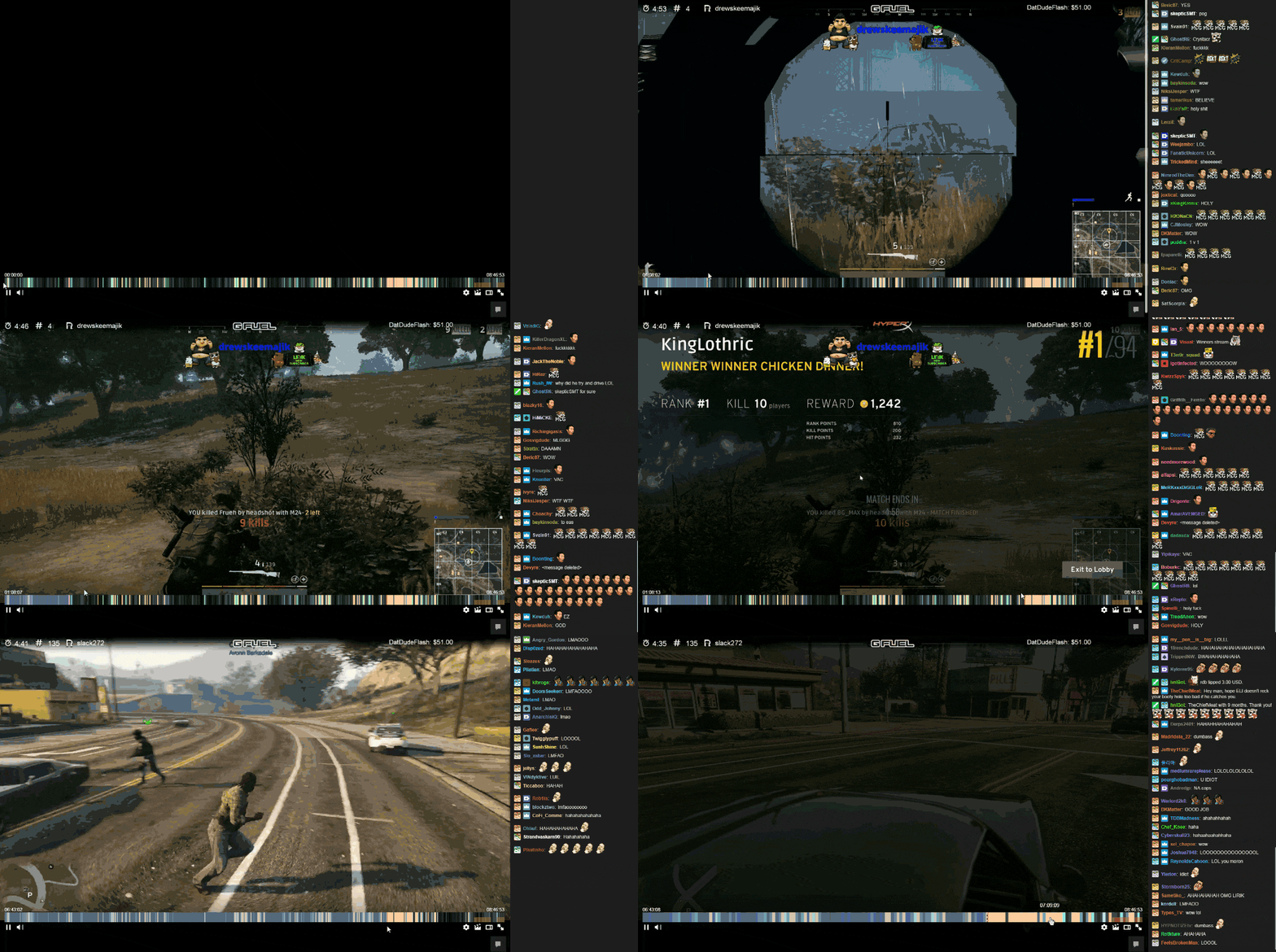
Turns progress bar into a heatmap.

当前为 2017-06-07 提交的版本,查看 最新版本

您需要先安装一款用户脚本管理器扩展,例如 Tampermonkey 篡改猴Greasemonkey 油猴子Violentmonkey 暴力猴,才能安装此脚本。

您需要先安装一款用户脚本管理器扩展,例如 Tampermonkey 篡改猴,才能安装此脚本。

您需要先安装一款用户脚本管理器扩展,例如 Tampermonkey 篡改猴Violentmonkey 暴力猴,才能安装此脚本。

您需要先安装一款用户脚本管理器扩展,例如 Tampermonkey 篡改猴Userscripts ,才能安装此脚本。

您需要先安装一款用户脚本管理器扩展,例如 Tampermonkey 篡改猴,才能安装此脚本。

您需要先安装一款用户脚本管理器扩展后才能安装此脚本。

(我已经安装了用户脚本管理器,让我安装!)

您需要先安装一款用户样式管理器扩展,比如 Stylus,才能安装此样式。

您需要先安装一款用户样式管理器扩展,比如 Stylus,才能安装此样式。

您需要先安装一款用户样式管理器扩展,比如 Stylus,才能安装此样式。

您需要先安装一款用户样式管理器扩展后才能安装此样式。

您需要先安装一款用户样式管理器扩展后才能安装此样式。

您需要先安装一款用户样式管理器扩展后才能安装此样式。

(我已经安装了用户样式管理器,让我安装!)

作者
sooqua
评分
0 0 0
版本
0.3
创建于
2017-05-13
更新于
2017-06-07
大小
9.9 KB
许可证
暂无
适用于

This script turns your progress bar into something that looks similar to a heatmap, where warmer colors (e.g. red) indicate more comments and cooler (blue, black) indicate less comments. Thus, you can easily find the most interesting moments in Videos.

Post-install:

  1. Go to your Twitch "connection" settings, scroll to the bottom and click Register your application
  2. Copy your app's Client ID and in the script replace "ENTER_YOUR_CLIENT_ID" with it.

Demo:

High quality, small size gifv: http://i.imgur.com/YQU4kqe.gifv alt text