Greasy Fork

Greasy Fork is available in English.

Add to Watch Later for Invidious

Adds an "Add to Watch Later" button on video thumbnails for Invidious

当前为 2024-05-04 提交的版本,查看 最新版本

您需要先安装一个扩展,例如 篡改猴Greasemonkey暴力猴,之后才能安装此脚本。

You will need to install an extension such as Tampermonkey to install this script.

您需要先安装一个扩展,例如 篡改猴暴力猴,之后才能安装此脚本。

您需要先安装一个扩展,例如 篡改猴Userscripts ,之后才能安装此脚本。

您需要先安装一款用户脚本管理器扩展,例如 Tampermonkey,才能安装此脚本。

您需要先安装用户脚本管理器扩展后才能安装此脚本。

(我已经安装了用户脚本管理器,让我安装!)

您需要先安装一款用户样式管理器扩展,比如 Stylus,才能安装此样式。

您需要先安装一款用户样式管理器扩展,比如 Stylus,才能安装此样式。

您需要先安装一款用户样式管理器扩展,比如 Stylus,才能安装此样式。

您需要先安装一款用户样式管理器扩展后才能安装此样式。

您需要先安装一款用户样式管理器扩展后才能安装此样式。

您需要先安装一款用户样式管理器扩展后才能安装此样式。

(我已经安装了用户样式管理器,让我安装!)

作者
WalsGit
评分
0 0 0
版本
1.1
创建于
2024-05-02
更新于
2024-05-04
大小
11.7 KB
许可证
MIT
适用于

Add to Watch Later for Invidious

A userscript to add an "add to watch later" button on video thumbnails in Invidious
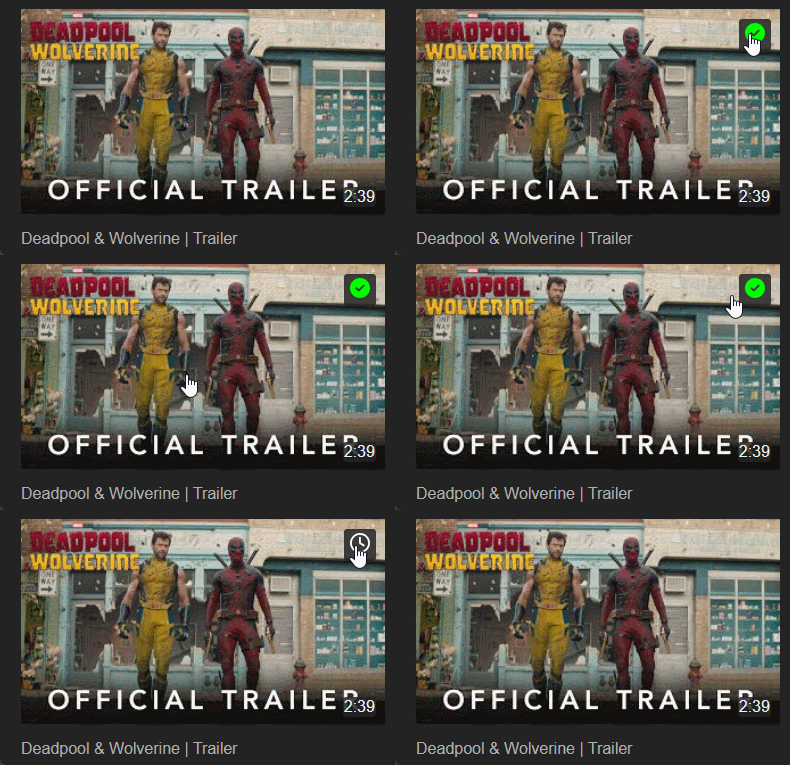
animated gif show how the script works when you hover over a thumbnail

Matching Instances

The script matchs all https type instances listed in https://api.invidious.io on May 5, 2024:

Instances list https://yt.artemislena.eu
https://yewtu.be
https://invidious.fdn.fr
https://vid.puffyan.us
https://invidious.nerdvpn.de
https://invidious.projectsegfau.lt/
https://invidious.lunar.icu
https://inv.tux.pizza
https://invidious.flokinet.to
https://iv.ggtyler.dev
https://inv.nadeko.net
https://iv.nboeck.de
https://invidious.protokolla.fi
https://invidious.private.coffee
https://inv.us.projectsegfau.lt
https://invidious.perennialte.ch
https://invidious.jing.rocks
https://invidious.drgns.space
https://invidious.einfachzocken.eu
https://inv.oikei.net
https://vid.lilay.dev
https://iv.datura.network
https://yt.drgnz.club
https://yt.cdaut.de
https://invidious.privacydev.net
https://iv.melmac.space

How it works

  1. Go and login to your Invidious instance
  2. Go to your Playlists Page and create a "Watch Later" playlist (you can name it whatever you want) [or skip this step if you would like to use an existing playlist] and return to your playslists page
  3. Hover over the thumbnail of the playlist you want to set as your default "Watch Later" playlist and click on the top right corner button to set and save it.
  4. Now go to you subscriptions or trending page (or any other page with multiple video thumbnails) and hover over any thumbnail to reveal the "add to watch later" button and click on it to add that video to that playlist. If you see a green check icon when you hover over the thumbnail, that means the video is already in your watch later playlist and clicking on it will remove it from the list.
Notice

This script was created with the help of Gemini as I'm not (yet) that fluent in JS.